At the moment, we cannot provide a link to play this mod online as it is a utility, but you can download it quickly and easily. This peak performance in FNF Mobile with the FNF Superbotplay Mobile Mod—play online today or download the latest version to master every track. Enhance your rhythm gaming experience with this advanced automation tool designed for precision.
Download FNF Superbotplay Mobile Mod
More FNF Mobile Mods






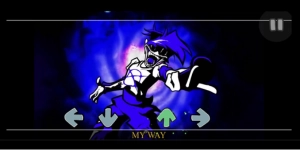


| Feature | Detail |
| Engine | V-Slice |
| Special Mechanics | Deadly Note Dodge System |
| Latest Version | 5.2 |
| Platforms | Mobile (V-Slice Mod Folders) |
| Optimization | Notesplash and Performance Fixes |
How to Install FNF Superbotplay on Mobile
Here are the basics to set up this FNF Mobile Mod:
- Tap the download button above to get the
.zip. - Use your phone’s Files app (or ZArchiver on Android) to unzip it into a new folder.
- Move that folder into your FNF Mobile
modsdirectory. - Close and restart the game — the mod should appear.
Need more help? See the full step-by-step install guide.
What is the FNF Superbotplay Mod?
The FNF Superbotplay mod is a powerful utility for FNF Mobile that allows players to achieve perfect “Sick” hits on every note. This Mobile Mod features a sophisticated danger note detection system that automatically avoids deadly or poisonous obstacles in complex charts. Users can play online or download the V-Slice compatible files to enjoy optimized performance and corrected notesplash alignments. It is specifically designed to help fans enjoy the music and animations of difficult mods without the stress of missing inputs.
FNF Superbotplay Video Showcase
Mod Credits
- Original Authors: snezhok174, Kai0903
- Optimizer: Kai0903
- Botplay Optimizer: Submitter