Bring the classic PC note layout to your phone with the FNF MobileNotes Like PC Mobile Mod—you can download this essential build or choose to play online within the FNF Mobile ecosystem.
Download FNF MobileNotes Like PC Mobile Mod
More FNF Mobile Mods






| Feature | Detail |
| Latest Version | 1.0.8 |
| Engine | V-Slice Mod Packs |
| Platforms | Official FNF mobile app |
| Features | PC-style note positions, middlescroll option |
| Release Date | 3+ months ago (latest file update) |
| Mod Type | Customization / Layout |
How to Install FNF MobileNotes Like PC on Mobile
Here are the basics to set up this FNF Mobile Mod:
- Tap the download button above to get the
.zip. - Use your phone’s Files app (or ZArchiver on Android) to unzip it into a new folder.
- Move that folder into your FNF Mobile
modsdirectory. - Close and restart the game — the mod should appear.
Need more help? See the full step-by-step install guide.
What is the FNF MobileNotes Like PC Mod?
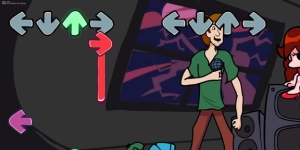
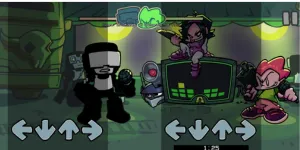
The FNF MobileNotes Like PC Mobile Mod is a customization mod for FNF Mobile that changes the note positions to mirror the classic PC version, improving the gameplay feel. The latest version, which you can download, includes a dedicated menu for layout selection, making customization effortless, along with a built-in middlescroll option. This mod gives you the best way to play online with a PC-like layout on your device, though you must remember to turn off the customization option before uninstalling. It is highly recommended to use the latest build to avoid position bugs that the creator has worked to fix.
FNF MobileNotes Like PC Video Showcase
Mod Credits
- Creator: zoomfastasabullet
- Original FNF Mobile Mod: Cream.BR