Step into FNF Mobile with the FNF Botplay Mobile Mod—play online now or download the latest V-Slice build to your phone to practice any song effortlessly!
Download FNF Botplay Mobile Mod
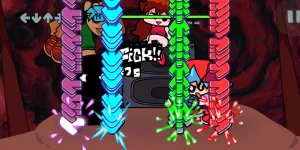
| Feature | Detail |
| Characters | Botplay script for the base game |
| Latest Version | 0.1.5 |
| Engine | V-Slice Mod Pack |
| Platforms | Mobile Compatible (V-Slice) |
| Special Mechanics | Fixes note misalignment and pause menu display on mobile |
How to Install FNF Botplay on Mobile
Here are the basics to set up this FNF Mobile Mod:
- Tap the download button above to get the
.zip. - Use your phone’s Files app (or ZArchiver on Android) to unzip it into a new folder.
- Move that folder into your FNF Mobile
modsdirectory. - Close and restart the game — the mod should appear.
Need more help? See the full step-by-step install guide.
What is the FNF Botplay Mod?
The FNF Botplay mod is a powerful V-Slice script designed to seamlessly integrate an automatic player into your game for practice or casual fun. This highly improved Mobile Mod has been optimized with recent bug fixes to ensure the arrows don’t get misaligned and the pause menu options display correctly on smaller screens. You can confidently download the latest version or play online to fully utilize this essential FNF Mobile tool.
FNF Botplay Video Showcase
Mod Credits
- Dev / Submitter: snezhok174
- Coder / Optimization Contributor: Kai0903