Experience the customizable time display in FNF Mobile with the FNF Time Bar Mobile Mod—you can easily play online now or download the latest build to upgrade your gameplay.
Download FNF Time Bar Mobile Mod
More FNF Mobile Mods







| Feature | Detail |
| Latest Version | 1.3.0 |
| Engine | V-Slice Engine |
| Platforms | Friday Night Funkin’ 0.7.0+ |
| Special Mechanics | Configurable Time Bar, Wide Time Bar Option, Custom Color Options |
How to Install FNF Time Bar on Mobile
Here are the basics to set up this FNF Mobile Mod:
- Tap the download button above to get the
.zip. - Use your phone’s Files app (or ZArchiver on Android) to unzip it into a new folder.
- Move that folder into your FNF Mobile
modsdirectory. - Close and restart the game — the mod should appear.
Need more help? See the full step-by-step install guide.
What is the FNF Time Bar Mod?
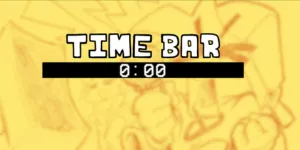
The FNF Time Bar mod is an essential addition for players who want to configure how the time bar appears during songs. This popular Mobile Mod, built for the V-Slice Engine, features numerous customization options, including a wide time bar, the ability to reposition the bar’s text, and even options to match the fill color to the player or opponent’s icon. You can also display the current song and difficulty right on the bar! Download the latest version to your phone or choose to play online to get full control over this new feature in FNF Mobile.